

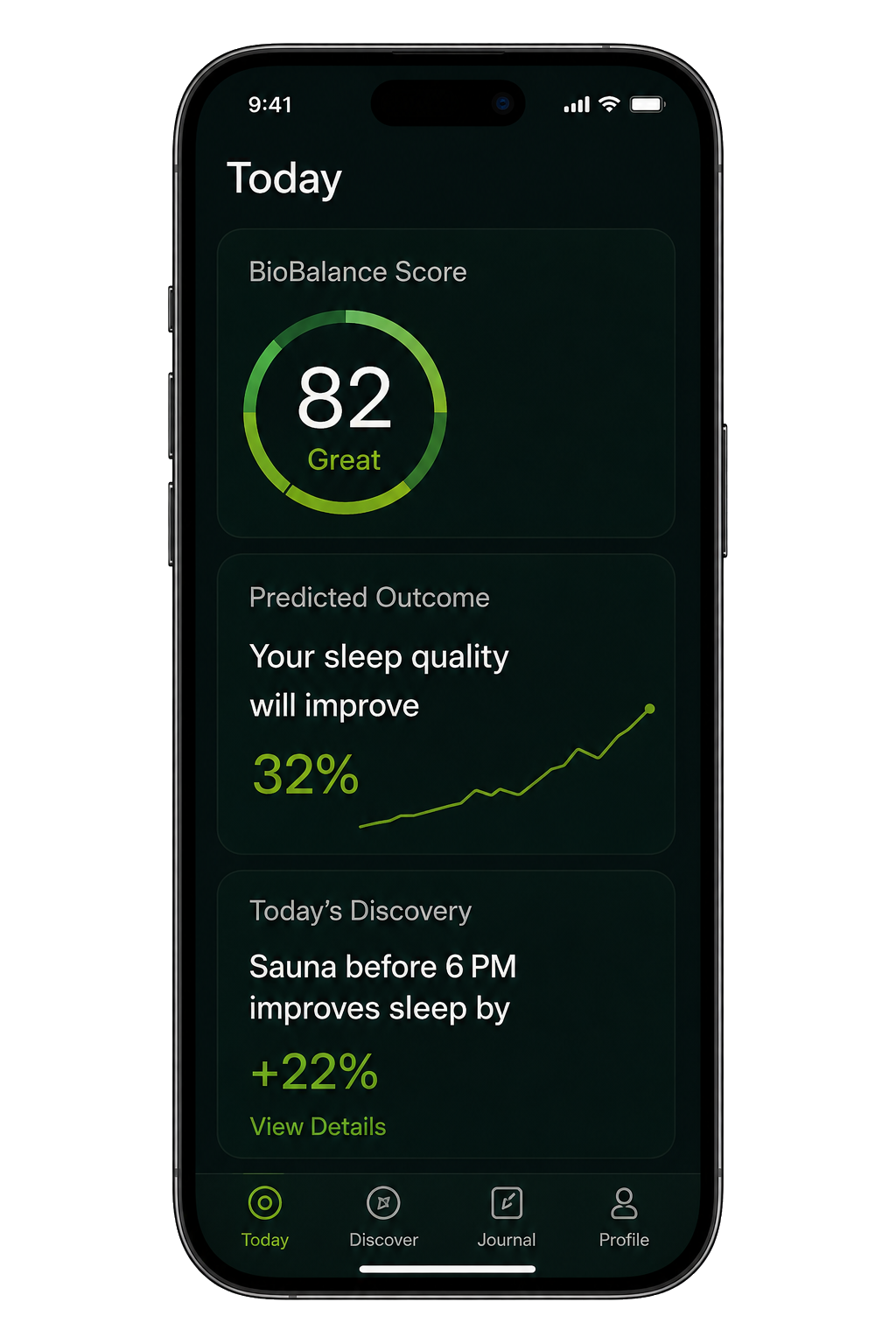
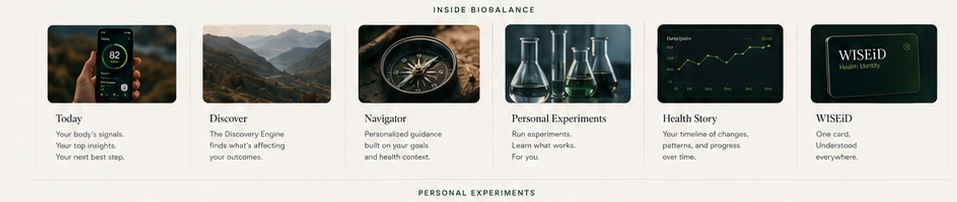

BioBalance OS
Check-In → Today → Direction → Share
One calm loop: capture what is happening, choose today’s protocol, review what changed over time, and share the right context when needed.
Right now
What is happening with me right now?
Log what you are experiencing in this moment. Today uses it to build the daily plan, and Direction uses it to explain patterns over time.
2-minute night check-in
Evening Review
Use this at night to capture what changed without repeating the full Check-In. This feeds Direction trends, Tomorrow's focus, and Share reports.
Saved check-ins
Check-in history
Saved check-ins are tucked away so this page stays focused on what you are experiencing now.
Today’s focus
Start with one clear signal.
Log mood, stress, and one body signal. Everything else can wait.
BioBalance AI Navigator
Today’s direction will appear after check-in.
Health GPS
Today's decision map
This turns your check-in, wearable context, protocol, and goals into four plain-language answers. It supports reflection and care conversations, not diagnosis.
Wearable sync
Device status
Daily summary
Today Review
Closed loop
Today Plan
Personal prompt
Based on today
Daily reset
Journal check-in
Body signals
Tracking
Recent pattern
Body signal trend
Manual entriesToday’s protocol
Meds, supplements & treatment reminders
Today activity
Journal history
History is tucked away to keep Today focused.
Readiness snapshot
Steady recovery
Daily pattern
Stress, HRV, sleep, reflections
Trend filters update the visible pattern window. These are correlation views, not causation.
Goal-based clarity
Signals to Watch
Detail view
HRV, sleep, stress
Wearable data
Recovery & activity impact
Patterns
What may be helping
Compare mode
Before / after and with / without
Patterns are correlation views, not proof that one item caused another.
All tracked modalities
Treatment impact snapshot
Health data filing cabinet
Where did this data come from?
Raw sources, uploads, wearable records, scanner history, and stored health details live here.
Synced activity
Check-In and Today feeding Health Data
This shows what Health Data is receiving from the daily Check-In and Today tabs.
Saved protocol
Medication & supplement protocol
This is the saved source list. Active items also appear on Today.
Visual progress
Before & after media
Take or upload private progress photos/videos for weight loss, muscle gain, peptide protocols, skin/hair changes, inflammation, meals, workouts, or custom goals.
Blood work
Key markers
Reports
Upload lab result
Compare over time
Blood work trends
Selected marker tracking
Lab marker trend graph
Choose the lab markers you want to keep visible, then view the trend by week, month, or year.
Marker timeline
Marker detail
Lab intelligence
Parsing, tasks & retesting
Care timeline
Labs & notes
Stored files
Lab documents
Health library
Search trusted resources
Library memory
Saved articles & search history
Reflection library
Guided Journal Prompts
Reflection patterns
Prompt Insights
Prompt actions
Favorites & next steps
Saved responses
Guided prompt journal
Food, supplement, medication scanner
Look up an item
Camera scanning depends on browser support. Manual entry always works.
Lookup results
Information sources
After lookup
Save scan as
Saved scans
Product history
Health tools
Research, scan, and save useful context
Use Scanner for foods, supplements, medications, and labels. Use Library for trusted reading matched to health topics and goals.
Next best step
Choose a goal to start building direction.
Your weekly summary will appear once there is enough tracked data.
Proof layer
Trend dashboard
Use this to see whether your goals, experiments, meds, treatments, journal patterns, and wearable data are lining up with progress.
Decision engine
What BioBalance is watching over time
This is the longer-term proof layer behind Health GPS: correlations, experiments, longevity, risk prevention, automatic capture, and user-owned data.
Goal builder
Health goals
Health roadmap
Goal roadmap
Lab evidence
Labs & results
Use lab trends here to understand long-term direction. Raw uploads and files still live in Health Data.
Gentle nudges
Things to watch
Weekly review
Direction Review
Nutrition profile
Dietary needs
Nutrition direction
Goal & lab-based ideas
Habit experiments
Run a 7-day test
Doctor prep
Care appointments
Health timeline
Your story over time
How this connects
Protocol, effects, safety, and Today reminders
Protocol
Saved protocol
This is the saved source list. Active items also appear on Today.
Daily protocol
Medication & supplements
Today
Medication & supplement check-in
This is where users log whether a saved medication or supplement was taken, how it felt, and any side effects. Today’s quick “Take” buttons also save here.
Protocol history
Started, changed, paused, stopped
Effect tracking
What seems to be working
Safety guardrails
Interactions, refills & adherence
Account
Your profile, membership, and billing basics.
In the live app this would connect to secure sign-in and billing. For this prototype, it personalizes the greeting and report identity locally.
Use Cognito to connect this profile to AWS cloud storage.
Production foundation
Accounts, encrypted database, and profile readiness.
If this stays visible after refresh, the app script did not update the auth checker.
Start sign-in from the app so Cognito can return a code.
A real Cognito token is required before AWS sync.
Use the controls below to clear stale auth and restart.
App runtime not confirmed yet.
AWS API is ready for a connection test.
Private beta
30-day live test readiness
Use this to test the full user journey for one month before opening the app publicly.
Private beta means invited testers only, with clear disclaimer, export/delete path, and no medical diagnosis claims.
Profile
Basic information
Privacy reminder
Account data belongs with consent controls.
Tracking preferences
What do you want BioBalance to keep visible?
Choose only what matters right now. The app will use this to keep Trends, Today, and Direction calmer.
Health profile
Care context
Security & privacy
Keep health data calm, private, and shareable only when you choose.
This prototype saves locally today. These controls show how the live app should handle accounts, encrypted cloud storage, wearable data, reminders, and care conversations.
Account
Secure user account
Encrypted data vault
Production storage structure
Connected data
Set up interactive wearables
Choose the devices users can connect, the health data they allow, and the reminders that should be prepared for phone/watch notifications.
This web prototype can save device preferences and reminder settings. A live Apple Watch connection needs the future iOS app with HealthKit permissions, WatchConnectivity, and Apple notification support.
Apple organization enrollment is processing.
Create the BioBalance iPhone app and add HealthKit capability.
Request sleep, HRV, heart rate, resting HR, steps, workouts, active energy, mindful minutes, and weight.
Send approved Apple Health records to AWS under the signed-in BioBalance user.
Start with iPhone notifications that mirror to Apple Watch, then add a watchOS companion later.
Connect Apple Health, sync records, update Today, compare Trends, and include data in Share reports.
Wearable alerts
What should the device remind users to do?
These alerts turn check-ins, daily focus, protocol items, exercise, trends, and long-term direction into gentle watch-ready nudges.
Care team
Trusted access
Controls
Privacy & export rules
This app supports reflection, habit tracking, lab organization, and better care conversations. It does not diagnose, treat, or replace a licensed medical professional.
Privacy Center